Introduction
API’s are managed via API Gateway
Note: API Gateway is hosted in Melbourne region (ap-southeast-4) and Lambda functions are hosted in Sydney region (ap-southeast-2) Edit: This has been since updated for API Gateway and Lambda to be in ap-southeast-2 (Sydney)
API Types
Note: there are 3 APIs, only which one (Kman API) will only work with these instructions.
- Remote Flow Client API: https://client-api-dev.remoteflow.dev/
- API v1: https://api-dev.remoteflow.dev/ (deprecated)
- Kman API: https://admin-api-dev.remoteflow.dev/
API Gateway
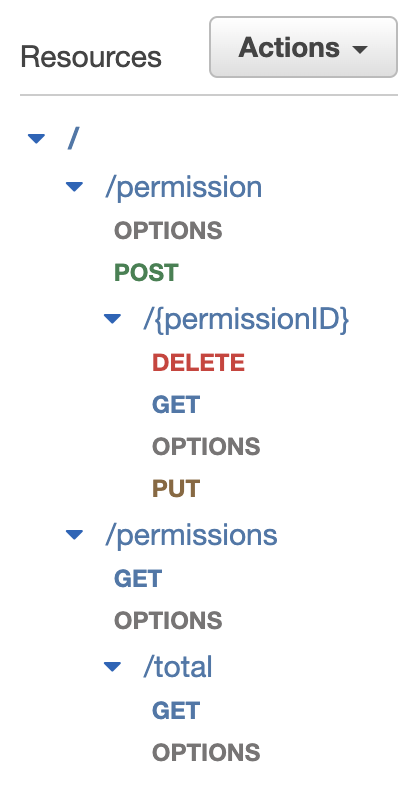
For every “module”, there is generally the following structure:
GET /modules (plural)
GET /modules/total
POST /module
GET /module/{moduleID}
PUT /module/{moduleID}
DELETE /module/{moduleID}
PATCH /module/{moduleID} - for some modules
Occasionally, you may get module sub-functions, which look like
POST /module/sub-function
Create API Gateway Resources
A resource is typically the “URL path”.
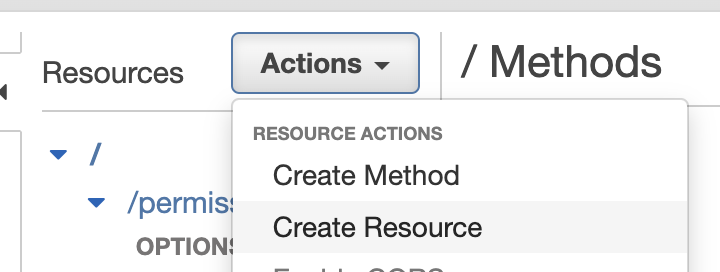
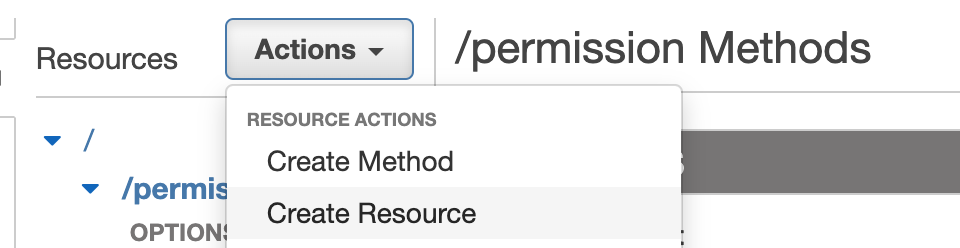
Click on the root “/” resource and then click Actions – Create Resource
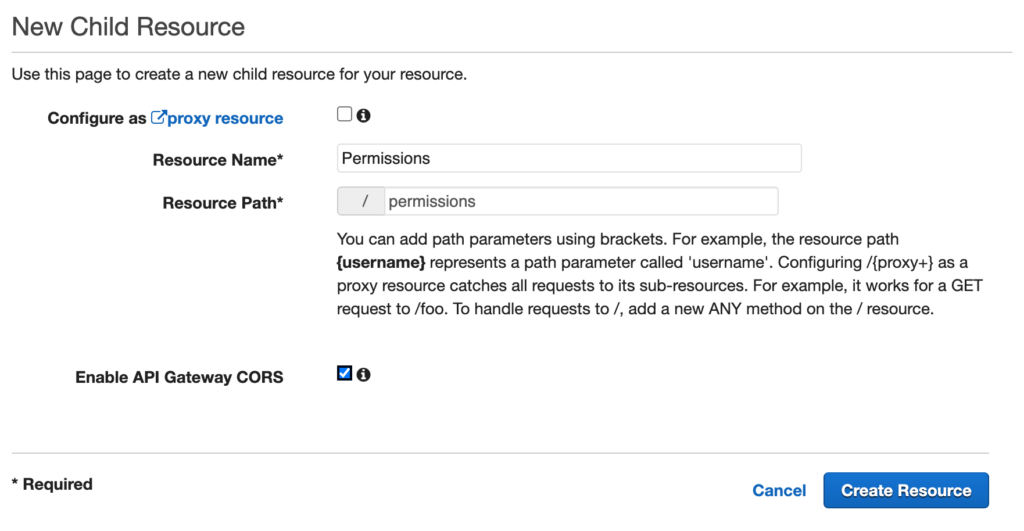
In the Resource Name, type in the name of the module
In the Resource Path, type in the lower case name of the module without spaces.
Check Enable API Gateway CORS
You would typically create 2 root resources per module.
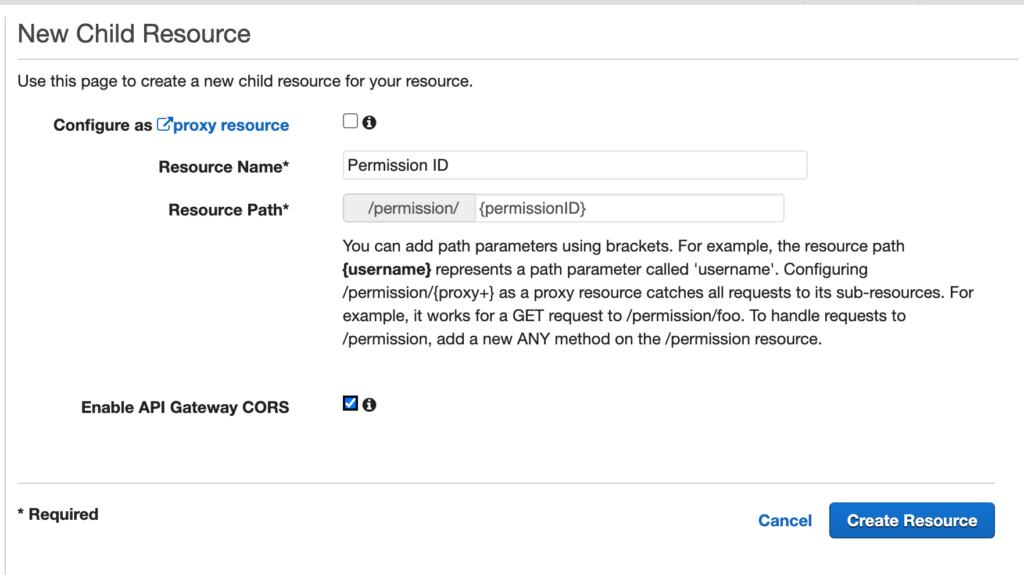
In the singular module, you need a sub-resource which is the “ID parameter” resource.
Select the singular resource on the left and then click Actions – Create Resource
In the Resource Name, type in the “name of the module” + ID
In the Resource Path, type in the lower case name + ID of the module without spaces. Make sure that the path is surrounded in braces! This indicates a proxy / parameter resource.
Check Enable API Gateway CORS
Create API Gateway Methods
Each API Method will need to be mapped for each Resource (or API Route)
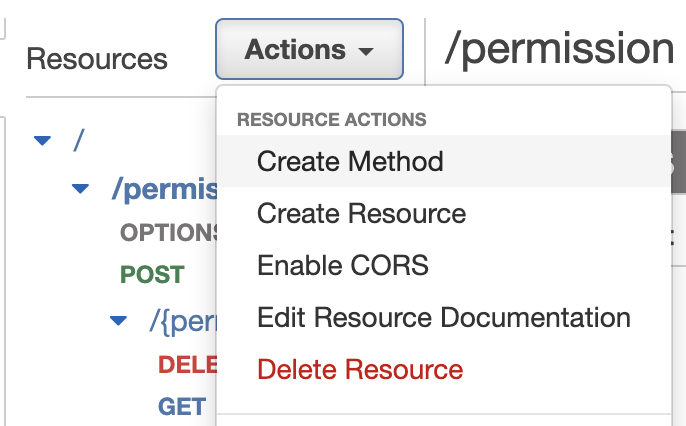
To create a Method, click on the appropriate resource and then click Actions – Create Method
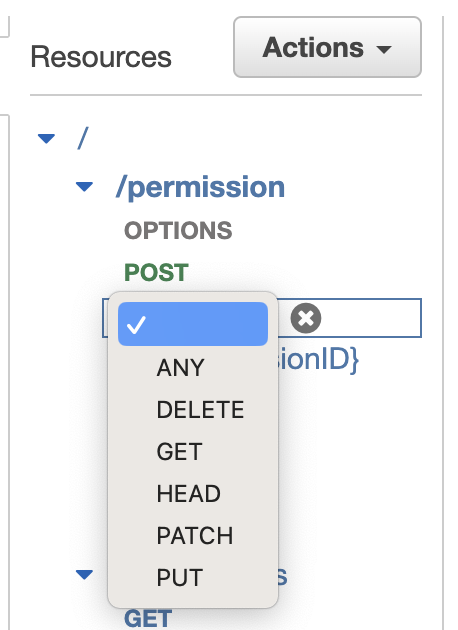
On the left, there will be a dropdown of the method options. Choose the relevant method.
Once you select the method, you will see the form update to the right.
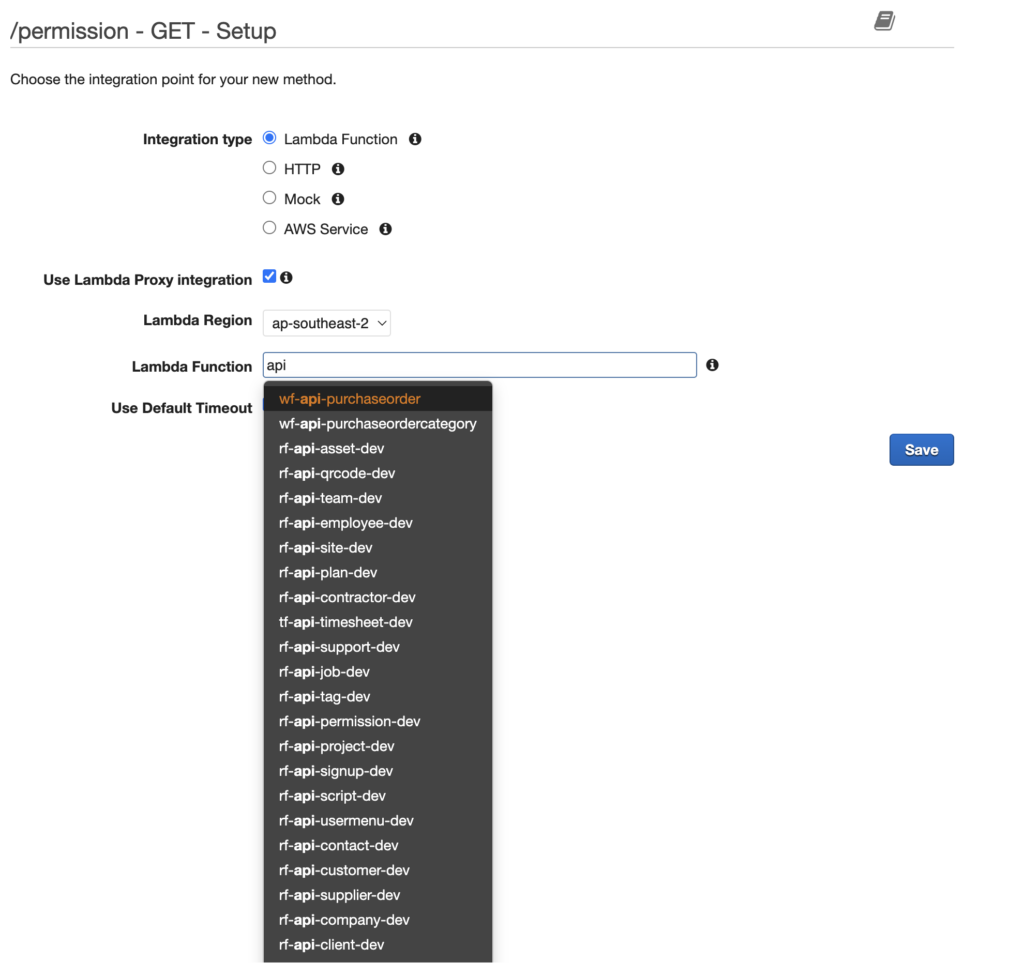
Integration Type: Lambda Function
Use Lambda Proxy integration is checked
Select ap-southeast-2 as the Lambda region
Type in the function name and then select from the drop
Use Default Timeout is checked
Note: There are other ways to link Lambda Functions from different AWS accounts, which is a separate topic.
Replace for each Resource / Method required.
Enabling CORS
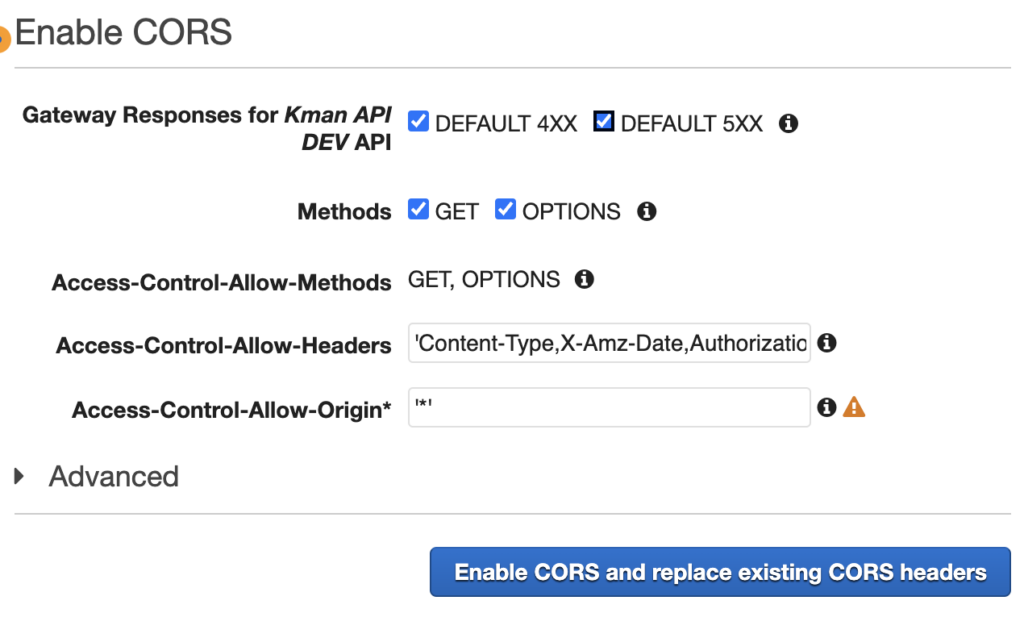
For the API routes to work in the browser, the CORS headers need to be updated.
Select the Resource and click Actions – Enable CORS

Select all the methods (they will differ based on the Resource / Route) and click on Enable CORS…..
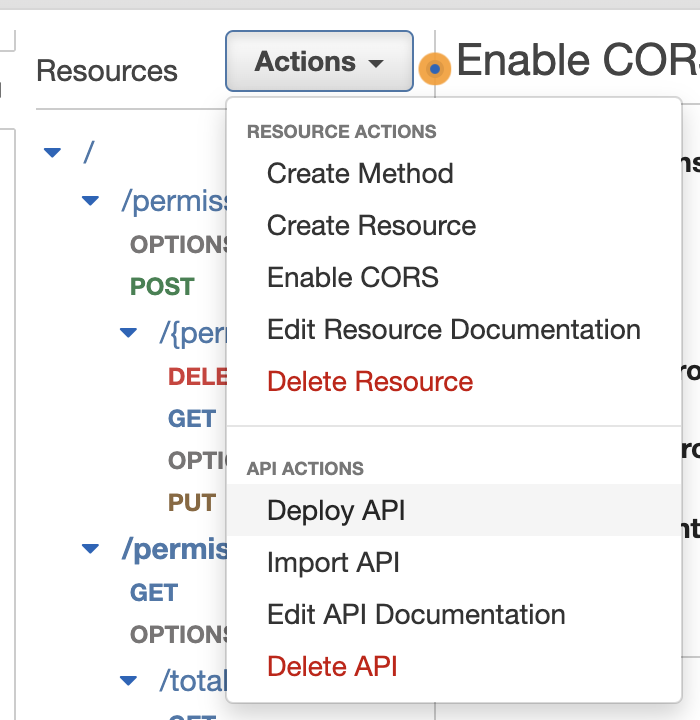
Deploying API
For the routes to be active – the API needs to be Deployed. Click on Actions – Deploy API